Create a Parking Lot Vibe AI Video Trend With Your Photo
Recreate Parking Lot Vibe AI Video Trend online at RemixMeme.
Oct 18, 2026 RemixMeme
RemixMeme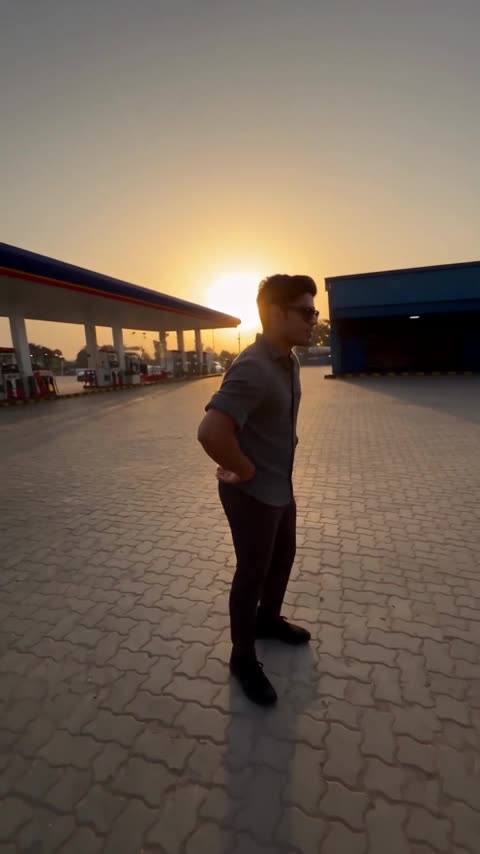
The Parking Lot Vibe AI Video Trend format is everywhere on short-video feeds.
Credits matter: new accounts get 20 welcome credits (roughly two default image gens). Video renders cost more, so expect to use a plan from about $9.99 if you want multiple Parking Lot Vibe AI Video Trend takes.
What to prepare
- One clear front-facing adult photo you own or have permission to use
- About a minute in the browser — default output is ~15s 9:16 vertical
- A RemixMeme account (signup includes 20 credits, enough for about 2 default images; video uses more credits — plans start around $9.99)
Tip: soft lighting and a face that fills most of the frame usually look cleaner than group shots.
Create your video
- Head to remixmeme.com.
- Pick Parking Lot Vibe AI Video Trend from Explore or jump straight to /templates/parking-lot-vibe-ai-video.
- Drop in one photo, then generate.
- Save the MP4 when it is ready. Vertical 9:16 cuts work well for TikTok and Reels; landscape suits YouTube Shorts landscape posts.
Photo tips
- Match the mood of the trend: smile, serious, or playful as the blurb suggests
- Higher-resolution source photos reduce mushy faces in the output
- If the first render misses, tweak the crop or try another angle rather than pasting the full generation prompt
- RemixMeme does not claim videos are free; welcome credits are mainly for trying images
Explore more
Want another style after this one? RemixMeme has hundreds of meme video templates with the same upload-and-create flow.