2 photos. One 2016 vs 2026 video.
MonthlyWatermark-free MP4 · Ready for TikTok/Reels · $4.99 for the first week, then $12.99/week · cancel anytime
2 photos. One 2016 vs 2026 video.
Input: 2 photos (JPG / PNG / WEBP, ≤9 MB, clear adult face). Output: ~15s 9:16 MP4 for TikTok/Reels (watermark-free MP4 · Ready for TikTok/Reels · 500 credits). Pricing: $4.99 for the first week, then $12.99/week · cancel anytime — not free unlimited; new accounts get 20 welcome credits ≈ 2 images (video still needs a plan). Barriers: 18+, photo rights, consent checkbox, Stripe. No app download.
- 2 photos
- ~15s
- 9:16
- Ready for TikTok/Reels
- $4.99 for the first week, then $12.99/week · cancel anytime
Input: 2 photos (JPG / PNG / WEBP, ≤9 MB, clear adult face). Output: ~15s 9:16 MP4 for TikTok/Reels (watermark-free MP4 · Ready for TikTok/Reels · 500 credits). Pricing: $4.99 for the first week, then $12.99/week · cancel anytime — not free unlimited; new accounts get 20 welcome credits ≈ 2 images (video still needs a plan). Barriers: 18+, photo rights, consent checkbox, Stripe. No app download.
- 2 photos
- ~15s
- 9:16
- Ready for TikTok/Reels
- $4.99 for the first week, then $12.99/week · cancel anytime
Sample from this template
Sample from this template
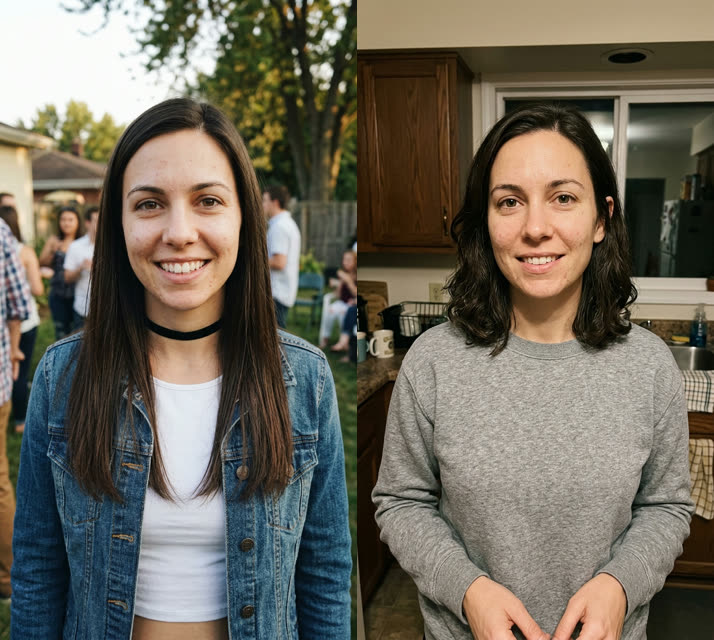 Sample input
Before
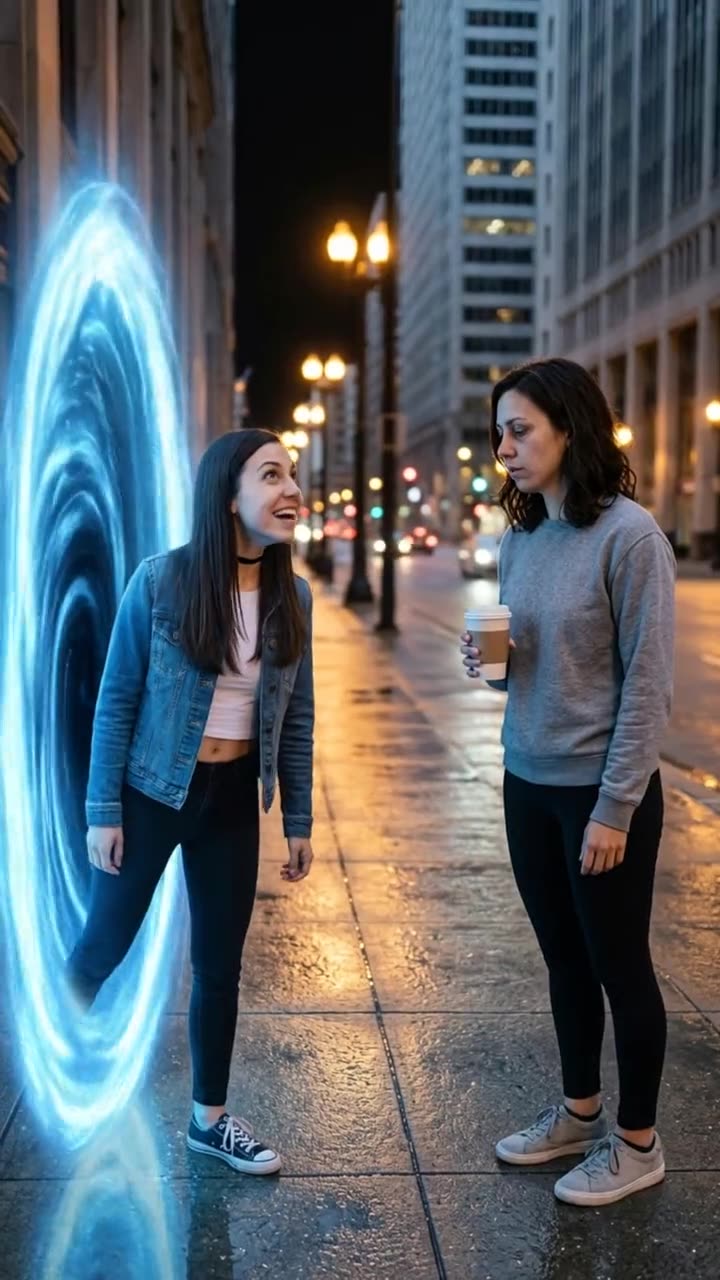 After
AfterAfter · sample
Comparison: left = upload slot; right = catalog demo poster/result (no fake screenshots). Paid jobs use your uploaded photo(s). Adults 18+ · photo rights · independent fan tool, non-official.
- 011
- 022
- 033
More examples of this template · 4
Curated examples of this look. Tap “Make this look” to create with this template.
- After · sample
2016 vs 2026: Your 2016 Self Walks In and Meets You · 1
Example 1 · same template
- After · sample
2016 vs 2026: Your 2016 Self Walks In and Meets You · 2
Example 2 · same template
- After · sample
2016 vs 2026: Your 2016 Self Walks In and Meets You · 3
Example 3 · same template
- After · sample
2016 vs 2026: Your 2016 Self Walks In and Meets You · 4
Example 4 · same template
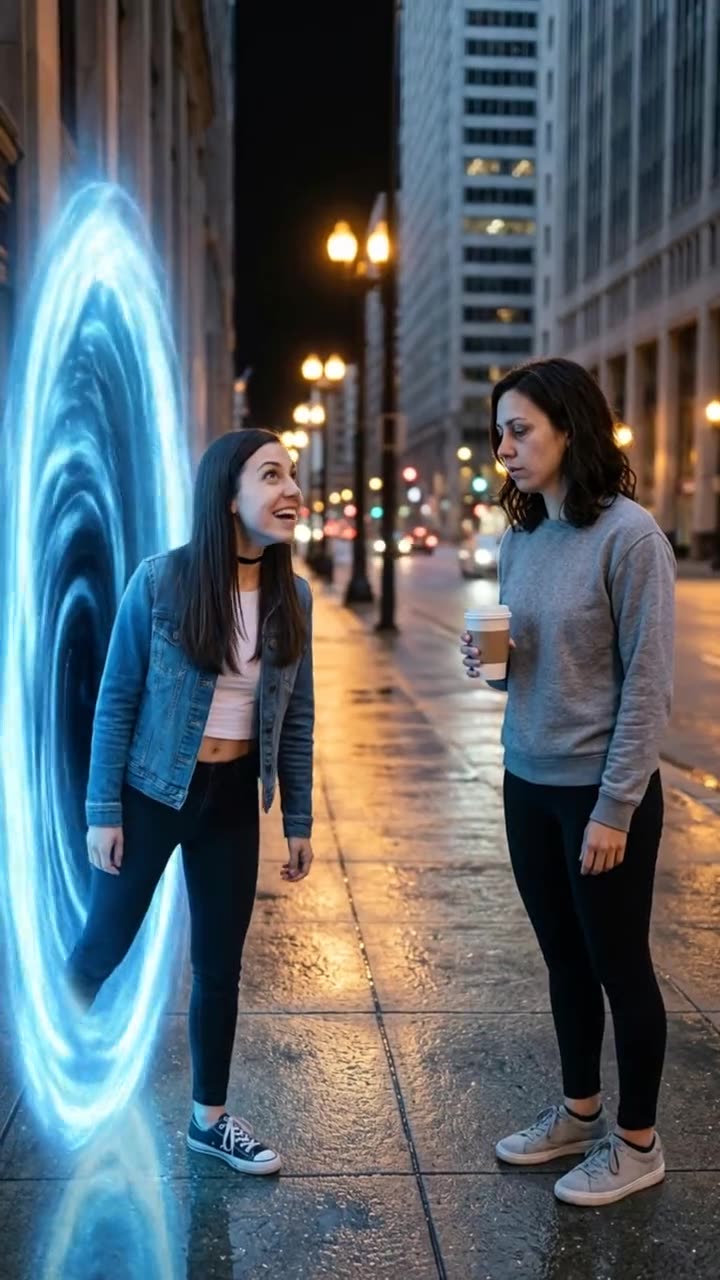
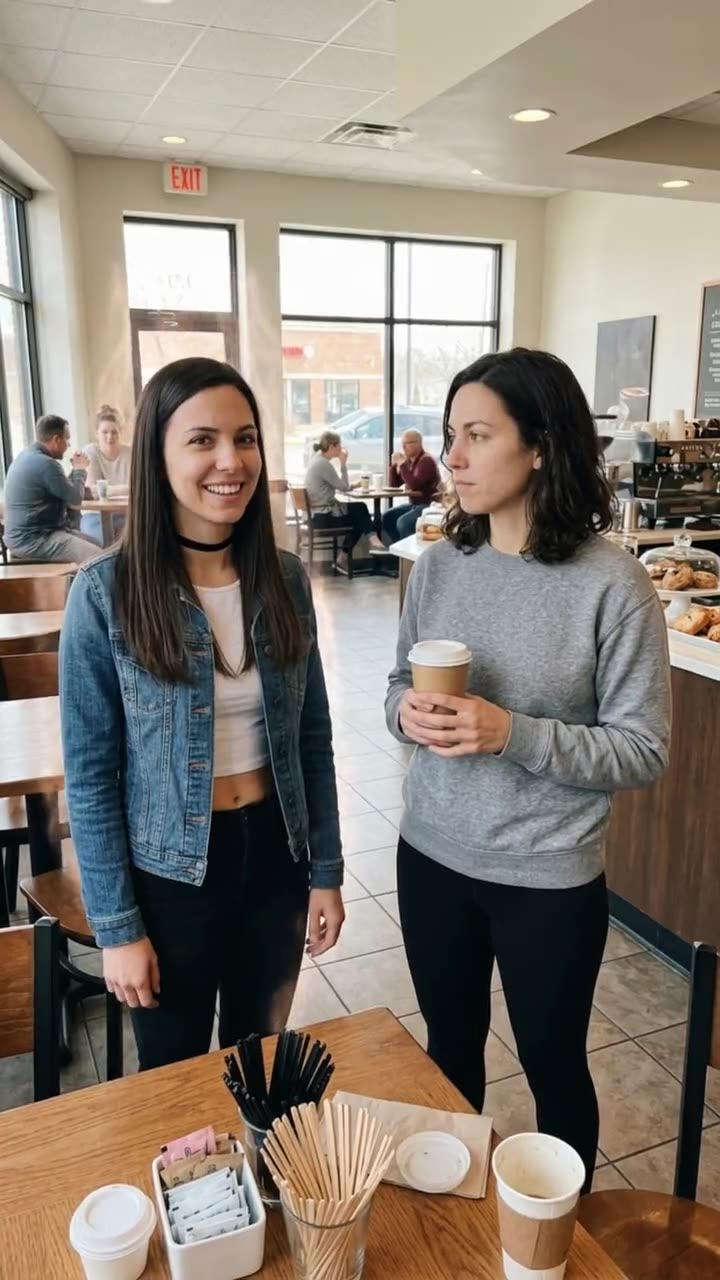
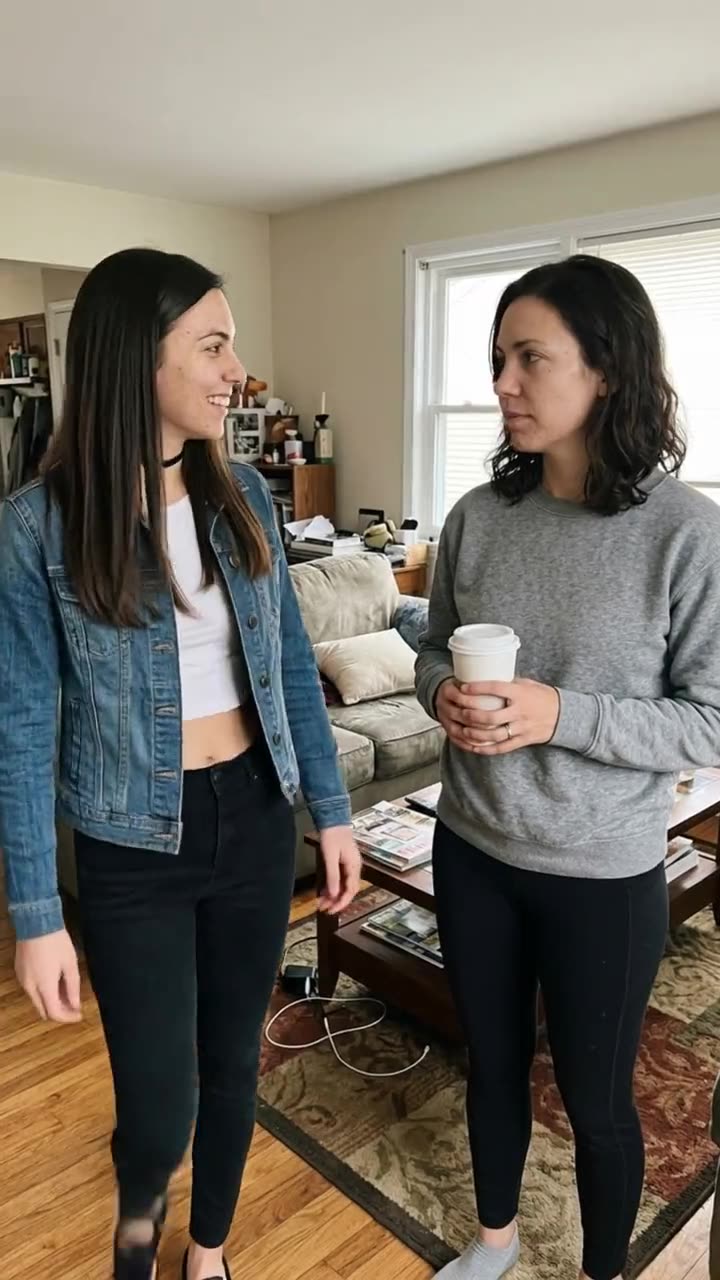
What this template does
The 2016 vs 2026 AI trend puts your past and your present in the same video: your 2016 self arrives in 2026, walks up to you and asks what happened.
What is the 2016 vs 2026 trend, and where did it start?
The nostalgia came first. In late December 2025, "2026 is the new 2016" spread on TikTok: on 31 December, @taybrafang posted a montage of 2016 moments, and in January people brought back 2016 filters, songs and photos.
2016 vs 2026 trend timeline
- 2025년 겨울@taybrafang posts a TikTok montage of 2016 moments, the earliest post Wikipedia names for the "2026 is the new 2016" trend.
- 2026년 봄"Talking to my 2016 self" videos spread on TikTok: creators speak to the person they were ten years earlier. One posted that day passes 781,000 likes.
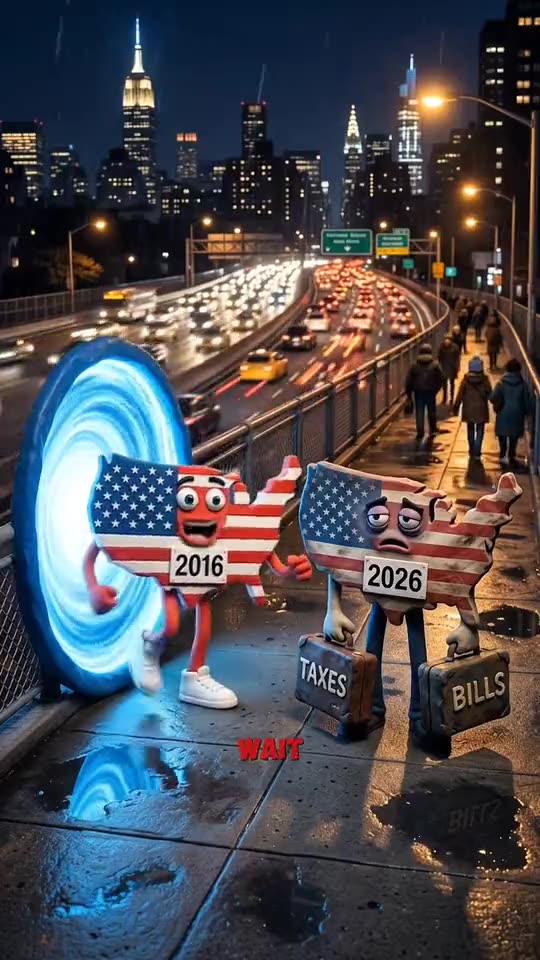
- 2026년 가을@aicontentps posts "2016usa VS 2026usa", an AI clip in which a cheerful 2016 character steps out of a time portal and meets an exhausted 2026 version.
- 2026년 가을The creator's next 2016 vs 2026 clip opens with the same portal meeting. It has 160,900 views and 6,153 likes by 11 October.
- 최근 몇 주An AI clip of a celebrity's 2006 self meeting her 2026 self, made with the locked video model, gets more than 2,100 upvotes and 293 comments on r/aivideo.
- 최근 몇 주#2016vs2026 counts 18,241 TikTok videos and 106.3 million views; #2026isthenew2016 counts 14,550 videos and 196.1 million views.
Photo requirements for 2016 vs 2026
- Waist up or knees up works best. A tight face crop leaves the model guessing about your body and clothes.
- Sharp, front-facing faces in good light. Photograph an old print flat, with no glare.
- The bigger the change between the two photos (hair, glasses, style), the funnier the meeting.
- One person per photo. Crop your friends out of the old photo.
- Use only photos of yourself. Never a celebrity, an ex or a stranger.
Troubleshooting 2016 vs 2026
- --- — ---
- Both versions look the same age — Use photos that are further apart, or an old photo where your hair or style was clearly different. Then run it again.
- The two faces swap sides — Check the order: photo 1 is 2016 you, photo 2 is you now. Then run it again.
- The wrong one says a line, or both talk at once — Two people talking is hard for AI. Run it again or pick Best.
How 2016 vs 2026 differs from common face-swap templates
RemixMeme uses a site-locked catalog prompt for 2016 vs 2026 — upload and generate; you do not paste a third-party prompt.
This page is a two-subject skit or duet — not a random kitchen face-swap paste unless that is the meme itself.
Babies and unauthorized celebrity likenesses are out of scope — adults 18+ with photo rights only.
Caption & hashtag ideas for 2016 vs 2026
- Trying 2016 vs 2026
- Keep the AI label on
- Tag who has to go next
- Match a trending sound when you post
Hashtags that fit: #2016memeets · #aivideo · #remixmeme
Keep the platform AI label on. RemixMeme does not license commercial tracks — add the trending sound yourself. 요금제: 첫 주 $4.99, 이후 $12.99/주 · 언제든 해지 가능 · 720p=500 credits.
Step-by-step guide: Read the how-to tutorial
What happens beat by beat — 2016 vs 2026
RemixMeme locks a public catalog prompt for 2016 vs 2026. Default ~15s 9:16. Signature moves land roughly like this:
- 0–2s01
| Your 2016 self walks in an
| Your 2016 self walks in and stops. |
- 2–5s02
| Your 2016 self looks aroun
| Your 2016 self looks around, walks up to you and looks you up and down. |
- 5–8s03
| "Wait... is this really 20
| "Wait... is this really 2026? Why do you look so exhausted?" |
- 8–10s04
| You shrug
| You shrug, lift your coffee and say "Welcome to 2026." Your 2016 self stares back in shock. |
Steps
- 01
1. Upload 2 photos
JPG / PNG / WEBP, ≤9 MB each. Clear adult face(s). Two different people required.
- 02
2. Subscribe for credits
요금제: 첫 주 $4.99, 이후 $12.99/주 · 언제든 해지 가능. 500 크레딧 = TikTok/Reels용 영상 1개; 실패 시 크레딧 자동 환불.
- 03
3. Generate & download
~15s 9:16 MP4. Draft costs 375 credits; Ready for TikTok/Reels export costs 500. Failed jobs refund credits.
AI Meme Video Templates for Viral Trends
232 generate-ready templates. Add your photo(s) and make yours. Plans: $4.99 for the first week, then $12.99/week · cancel anytime.
Add 2 photos and unlock Create
Plans: $4.99 for the first week, then $12.99/week · cancel anytime. ~15s MP4. Failed renders return credits.
CreateWhat happens to your photos
- 01
Upload
Your photos stay in your browser until you tap Create or check out — JPG / PNG / WEBP, ≤9 MB.
- 02
Generate
They are sent to our AI video provider to render your clip.
- 03
Checkout
If you pay first, they are saved with your order so the render can start right after payment.
- 04
Questions
Deletion or refund requests: Settings → Support. See Privacy Policy and Terms.
Risk & legal boundaries
Independent fan tool. We do not host originals as official. AI-generated entertainment only — label AI when you post. Adults 18+ who agreed. No official logos as identity sources.
- Not affiliated with meme originators, platforms, CapCut, or any brand owner. No official logos. Not an official CapCut template pack.
- Adults (18+) with photo rights / mutual consent only. User confirms rights to every face. No children, celebrities as identity sources, or non-consensual deepfakes.
- Audio is AI ambient / original — we do not sell commercial track licenses. Add trending sounds yourself on TikTok/Reels.
Fan tool on this site · 2026. Photo rights + adult consent required. CapCut / AI meme app alternative: /vs-capcut · /alternatives.
Pricing
Choose Weekly, Monthly, Yearly, or a one-time pack. Cancel anytime.
Failed generations automatically return your credit. Renders usually take a few minutes.
한정 혜택
첫 주 $4.99, 이후 $12.99/주 · 언제든 해지 가능
12:00:00 후 종료
Weekly
$4.99 for the first week, then $12.99/week · ≈1 video · Ready for TikTok/Reels
$4.99/week
≈1 videos/week · Ready for TikTok/Reels
cancel anytime · Ready for TikTok/Reels
Monthly Starter
$14.99 for the first month, then $24.90/month · ≈3 videos · Ready for TikTok/Reels
$14.99/month
≈3 videos/month · Ready for TikTok/Reels
cancel anytime · Ready for TikTok/Reels
Monthly Pro
$34.99 for the first month, then $59.90/month · ≈10 videos · Ready for TikTok/Reels
$34.99/month
≈10 videos/month · Ready for TikTok/Reels
cancel anytime · Ready for TikTok/Reels
Yearly Starter
$159 for the first year, then $199/year · ≈36 videos · Ready for TikTok/Reels
$159/year
≈36 videos/year · Ready for TikTok/Reels
cancel anytime · Ready for TikTok/Reels
1× Pack
500 credits · never expire
$11.99
≈1 videos · Ready for TikTok/Reels
never expire · Ready for TikTok/Reels
3× Pack
1500 credits · never expire
$29.90
≈3 videos · Ready for TikTok/Reels
never expire · Ready for TikTok/Reels
10× Pack
5000 credits · never expire
$69.90
≈10 videos · Ready for TikTok/Reels
never expire · Ready for TikTok/Reels
Not free unlimited. Failed jobs refund credits. Cancel anytime on subscriptions. One-time pack credits never expire.
FAQ
2 photos in → one ~15s 9:16 2016 vs 2026 MP4. The 2016 vs 2026 AI trend puts your past and your present in the same video: your 2016 self arrives in 2026, walks up to you and asks what happened.
Make 2016 vs 2026
Upload 2 photos. Plans: $4.99 for the first week, then $12.99/week · cancel anytime. ~15s 9:16 MP4.
CreateSame studio
관련 도구/ 相关工具
More AI short-video trends — create on this site with one shared credit balance
- 1–2 photos → Burning Bridges crystal-chandelier party template (MP4 with sound)
 Burning Bridges AI
 - Two photos → ~10–15s white-studio keys + hype short
 Alors on Danse AIMini-keyboard meme
 - 1–2 photos → barn tip-toe / Wing In My Jawwdinz dance short
 Rumpelstiltskin Dance AIBarn tip-toe meme
 - Selfie + optional car → 24 card car reveal video
 Unforgettable Car AI24 card car reveal
 - 1 selfie → ChatGPT Millionaire “Get a job.” meme short
 ChatGPT Millionaire AIGet a job. meme
 - 2 photos → Hug in Heaven stairway reunion memorial short
 Hug In Heaven AIStairway reunion memorial
 - 1 selfie → Chat GTT Lookin’ Ahh “card declined” meme short
 Chat GTT Lookin’ Ahh AIcard declined meme
 - 1 photo → ~13–15s Shan Shen Bu / flash-step AI dance
 Shan Shen Bu AI DanceFlash Step AI
 - 1 selfie → ~10s rocket-over-traffic Flying Roadster short
 Flying Roadster AIFlying Car AI
 - 1 face photo → ~10s quince concha / Bby Wow Guy meme short
 Bby Wow Guy AIquince concha meme
 - 1 photo (+ optional outfit) → ~15s doorway-to-leather night glow-up
 Devil Wears Prada AIleather street glow-up
 - 1–2 photos → ~10s stadium kiss-cam (hug → shock → hide)
 Kiss Cam AIstadium kiss-cam joke
 - 1 photo → ~10s doorbell-cam Halloween prank short
 Cat in the Hat AIdoorbell Halloween prank
 - 1 photo → ~10s angel-wings runway video with sound
 VS Runway AIVictoria Secret AI runway