Turn Your Photo Into a Backwards Hurdle AI: Do the Famous Reverse Hurdle From One Photo
The reverse hurdle AI trend puts you into football's most famous backwards hurdle. Try Backwards Hurdle AI: Do the Famous Reverse Hurdle From One Photo on…
 RemixMeme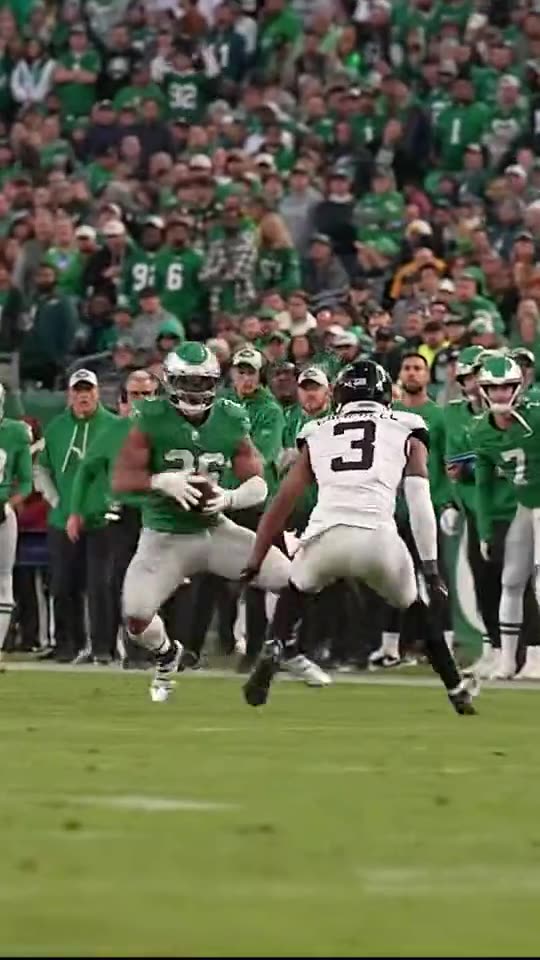
The reverse hurdle AI trend puts you into football's most famous backwards hurdle. That is the idea behind Backwards Hurdle AI: Do the Famous Reverse Hurdle From One Photo — and you can make your own version on remixmeme.com.
You do not need CapCut timelines or keyframes for this one. RemixMeme applies the Backwards Hurdle AI: Do the Famous Reverse Hurdle From One Photo look from your upload so you can focus on picking a strong source photo.
Before you start
You will need:
- One clear front-facing adult photo you own or have permission to use
- A phone or laptop browser
- About a minute in the browser — default output is ~15s 9:16 vertical
Keep uploads 18+ and rights-cleared. RemixMeme is an independent fan tool — not an official music or brand app.
How to make it
- Visit RemixMeme and open /templates/reverse-hurdle-ai-trend.
- Upload your photo — faces should be sharp and unobstructed.
- Hit Create and wait for the ~15s render.
- Download the clip. Retry with a different photo if the first pass feels off (extra video credits apply).
Tips for a better result
- Face fills most of the frame; soft daylight beats harsh flash
- Crop tightly on the subject before upload if the original is a full-body group shot
- Stick to adult subjects you have permission to use
- Video costs more credits than stills — check /pricing before a big batch
Next steps
Ready to try Backwards Hurdle AI: Do the Famous Reverse Hurdle From One Photo? Open /templates/reverse-hurdle-ai-trend, then explore more trends on /explore. Pricing details live on /pricing; other how-tos are on /blog.
Once you like a take, download it and share. RemixMeme keeps the workflow short: pick the effect, upload, create.